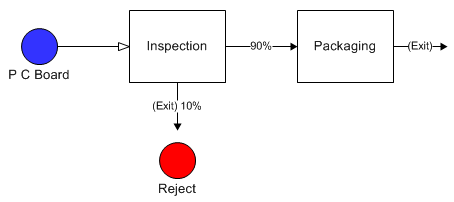
A percentage of entities are rejected after an activity (due to defects or other criteria) and are removed from the system.
The model used for this example, as well as all of the modeling "how-to" examples, can be found in the ProModel Solutions Café (http://www.promodel.com/solutionscafe/howto/).
At a final inspection station in a printed circuit (PC) board assembly line, ten percent of the time the board is defective and is removed from the system (i.e., 10% of the boards are simply scrapped). Otherwise the completed board goes on to packaging.
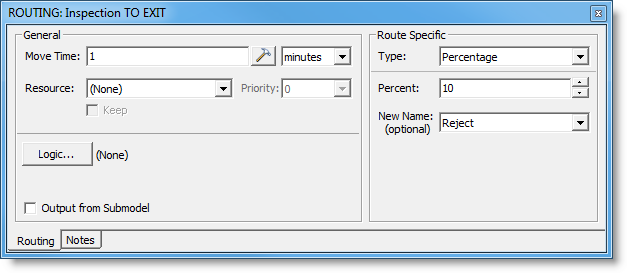
A new entity was created called Reject. A route to exit is defined from the Inspection activity with the Percentage set at 10% and Reject selected as the New Name for the entity.
© 2014 ProModel Corporation • 556 East Technology Avenue • Orem, UT 84097 • Support: 888-776-6633 • www.promodel.com